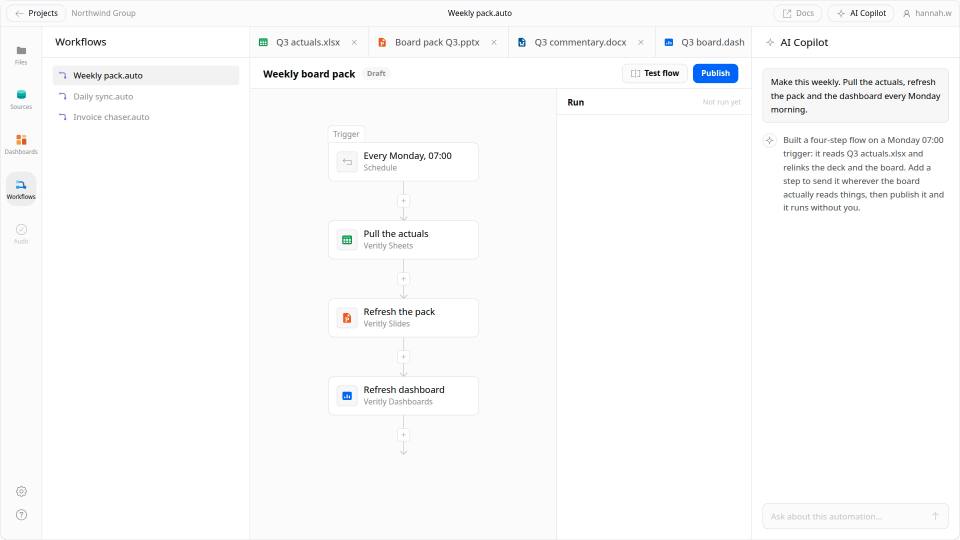
Wire it once. Let it run.

The Monday refresh, the month-end pack, the "can you just check" request — turned into scheduled jobs that rerun themselves and tell you when something moved.

  • Visual building
  • Debug & monitor
  • Governed deployment

Visual building.

Assemble the pipeline by dragging steps into order — and drop into code for the one step that needs it, without abandoning the builder.

No boilerplate

Drag the steps into order and connect them. The plumbing between a query, a transform, and a delivery is handled for you — you describe the sequence, not the glue.
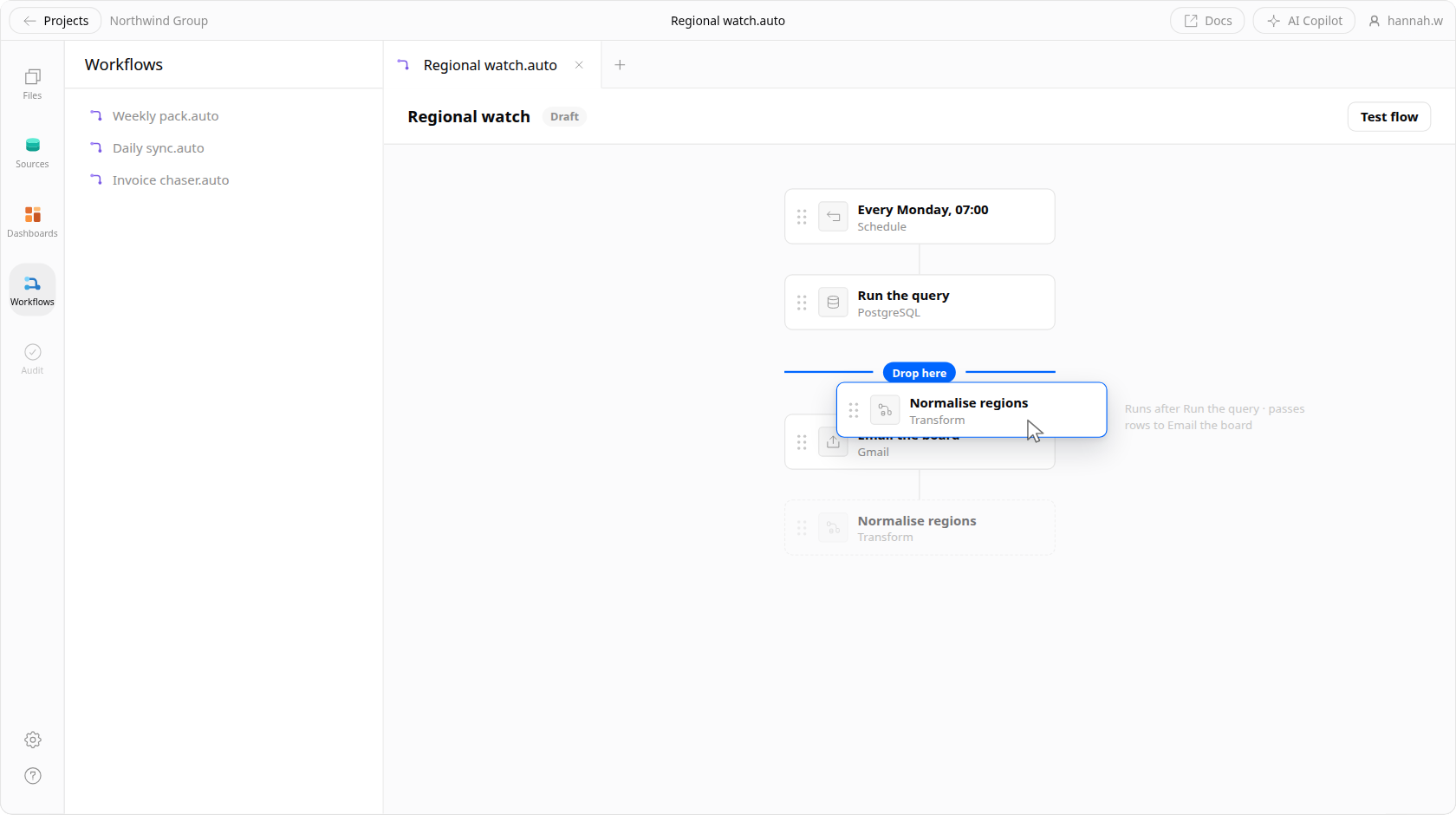
A transform step being dragged into a Veritly pipeline: the flow runs from a schedule to a PostgreSQL query to a Gmail delivery, the gap between the query and the delivery has opened with a drop indicator, and the step in the hand shows what it will be wired to before it lands.

Fall back to code

The visual builder covers most of it. When it doesn't, drop into SQL or Python for one step and keep the rest of the pipeline exactly as it was — no rewrite to escape the abstraction.
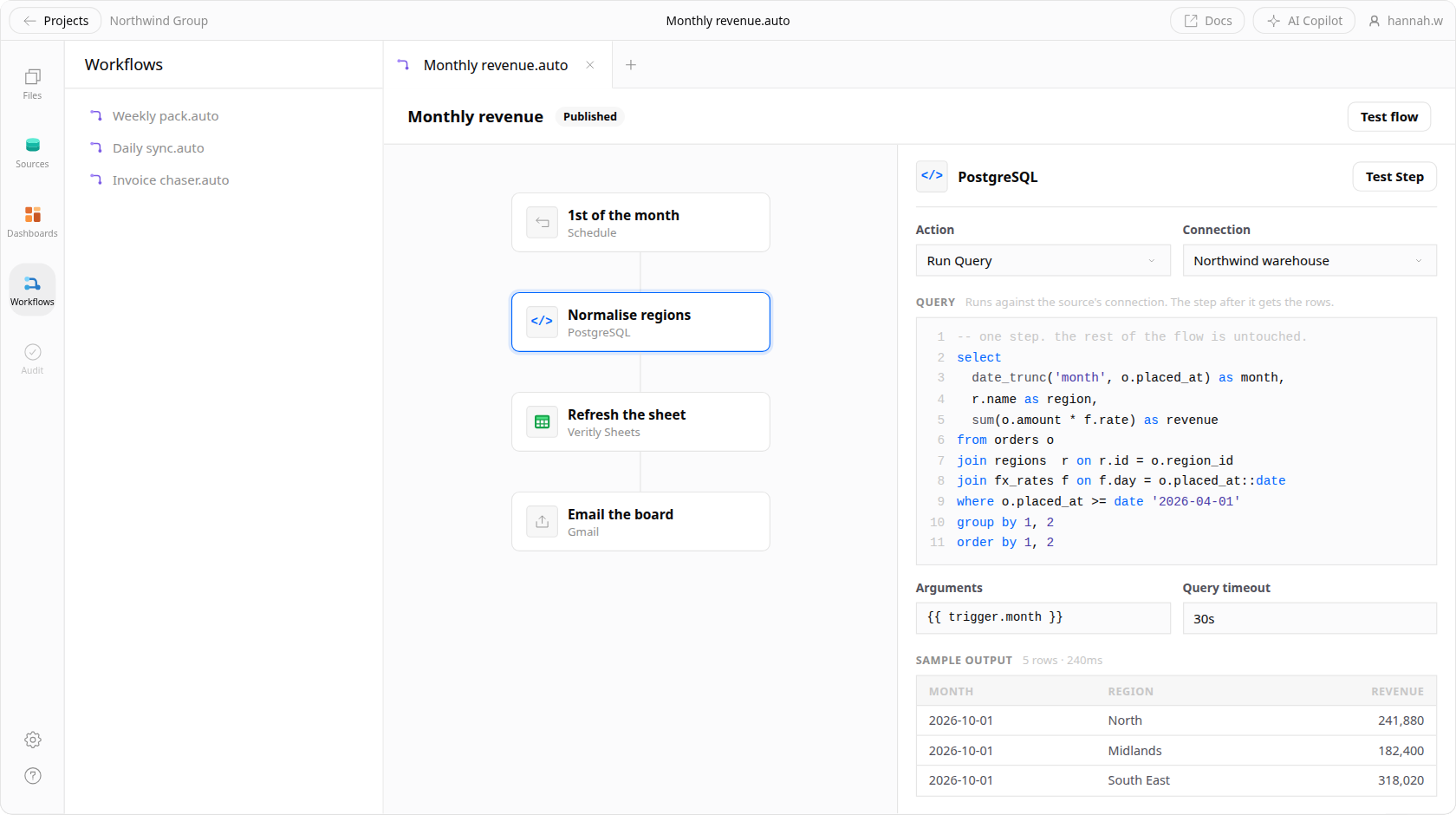
A Veritly pipeline with one step opened onto SQL: the four-step flow stays on the canvas at the left while the selected PostgreSQL step shows its Run Query action, the query in an editor with line numbers, its arguments and timeout, and the rows the last test returned.

Branch, loop, filter

Route on a condition, iterate over a result set, or stop early when nothing changed. Real control flow, so the job matches how the work actually happens.
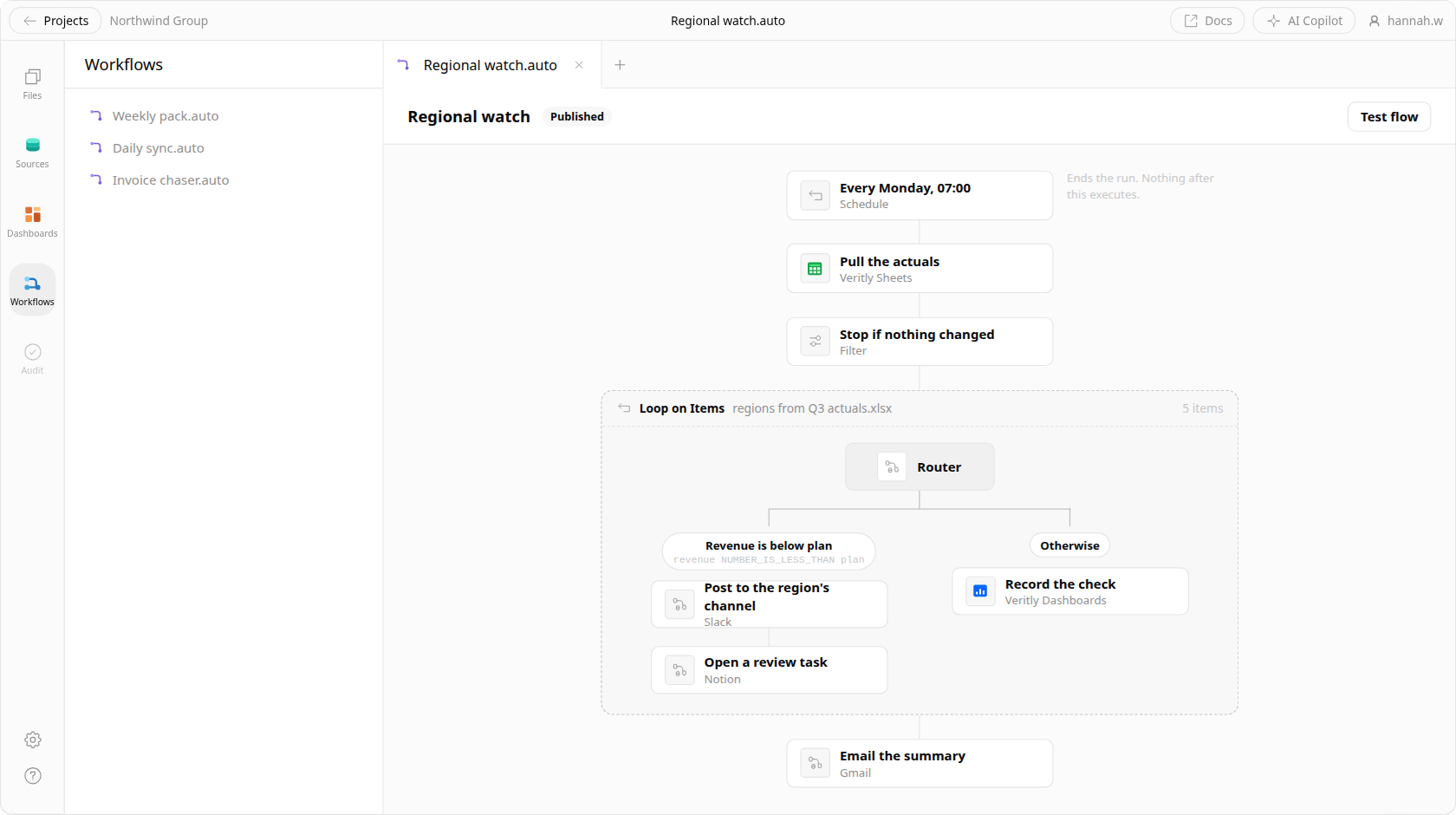
A Veritly pipeline with real control flow: a filter that stops the run when nothing changed, a Loop on Items over the five regions, and inside it a router forking into a branch for regions below plan and an Otherwise branch, rejoining before the summary email.

Fast iteration

Run a single step against real data without executing the whole pipeline. See what came out, adjust, and run it again — the loop is seconds, not a redeploy.

Triggers that fit the work

Run on a schedule, when the source data lands, when a threshold breaks, or on a webhook from another system.

AI steps

Drop the agent into a pipeline to summarise a change, classify a batch, or draft the write-up — with the same governance as everywhere else.

Automation that earns its place.

Kill the recurring rerun

The refresh you do every Monday morning becomes a job that already ran before you sat down.

Catch it before your client does

Watch the metrics that matter and get told when one moves — instead of finding out in the meeting.

Ship the internal tool

Wire a pipeline to an endpoint and let another system call it, without standing up a service to host it.

Templates to get you started.

Start from a pipeline that already does most of the job, then point it at your own data.

  • Weekly client reporting pack
  • Warehouse freshness check
  • Metric anomaly alert to Slack
  • Month-end close checklist
  • CRM to warehouse sync
  • Cohort refresh and rebuild

Debug & monitor.

An automation you can't inspect is one you'll stop trusting. Every run is legible, editable, and repeatable.
Alerting

Alerting you can actually tune

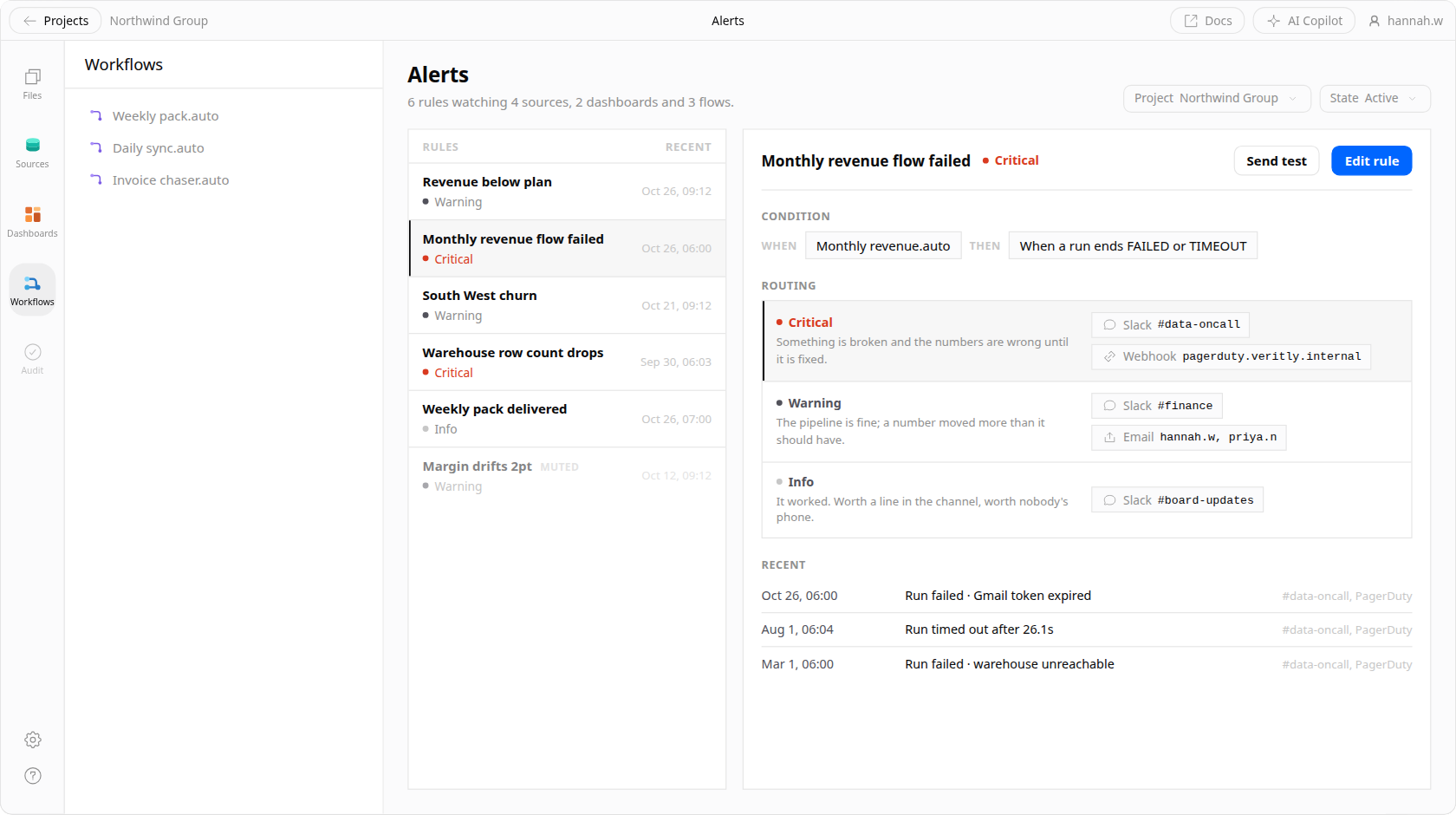
  • Route by severity, so a failed refresh and a drifting metric don't page the same person
  • Deliver to Slack, email, or a webhook into whatever you already watch
  • Set conditions on the data, not just on whether the job crashed
Veritly's alert rules: a list of rules with their severity and when each last fired, and beside it one rule's condition, the routing table sending critical, warning and info to different Slack channels, email lists and a webhook, and its recent firings.
Logs

Logs where you need them

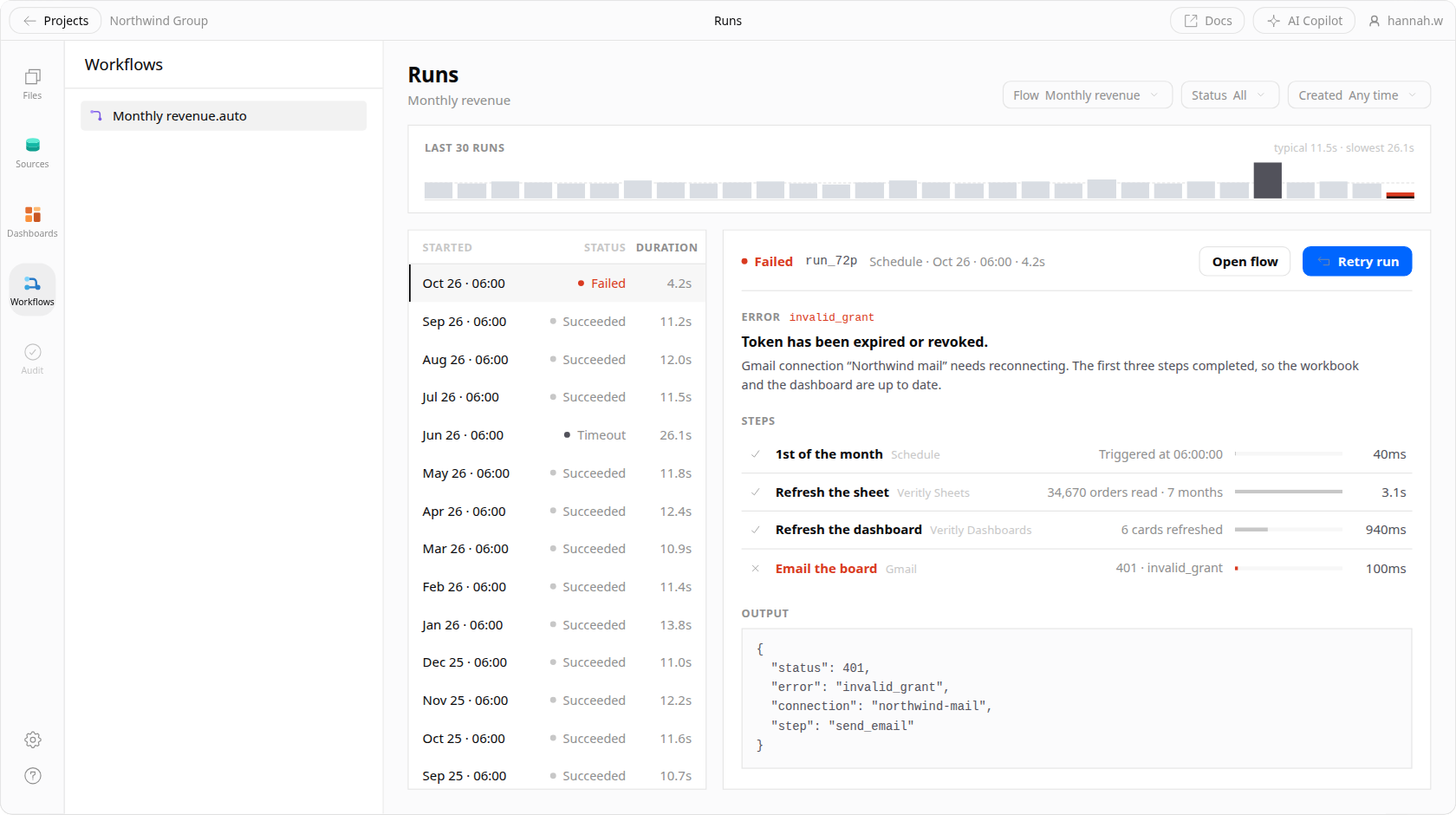
  • See the input and output of every step, not just the final result
  • Filter runs by status, duration, or the record that failed
  • Keep a durable history for the audit trail a client review asks for
The runs list for a Veritly automation: each execution with its status, trigger, duration and timestamp, and the per-step inputs and outputs for the selected run.
Editing

Edit an execution in place

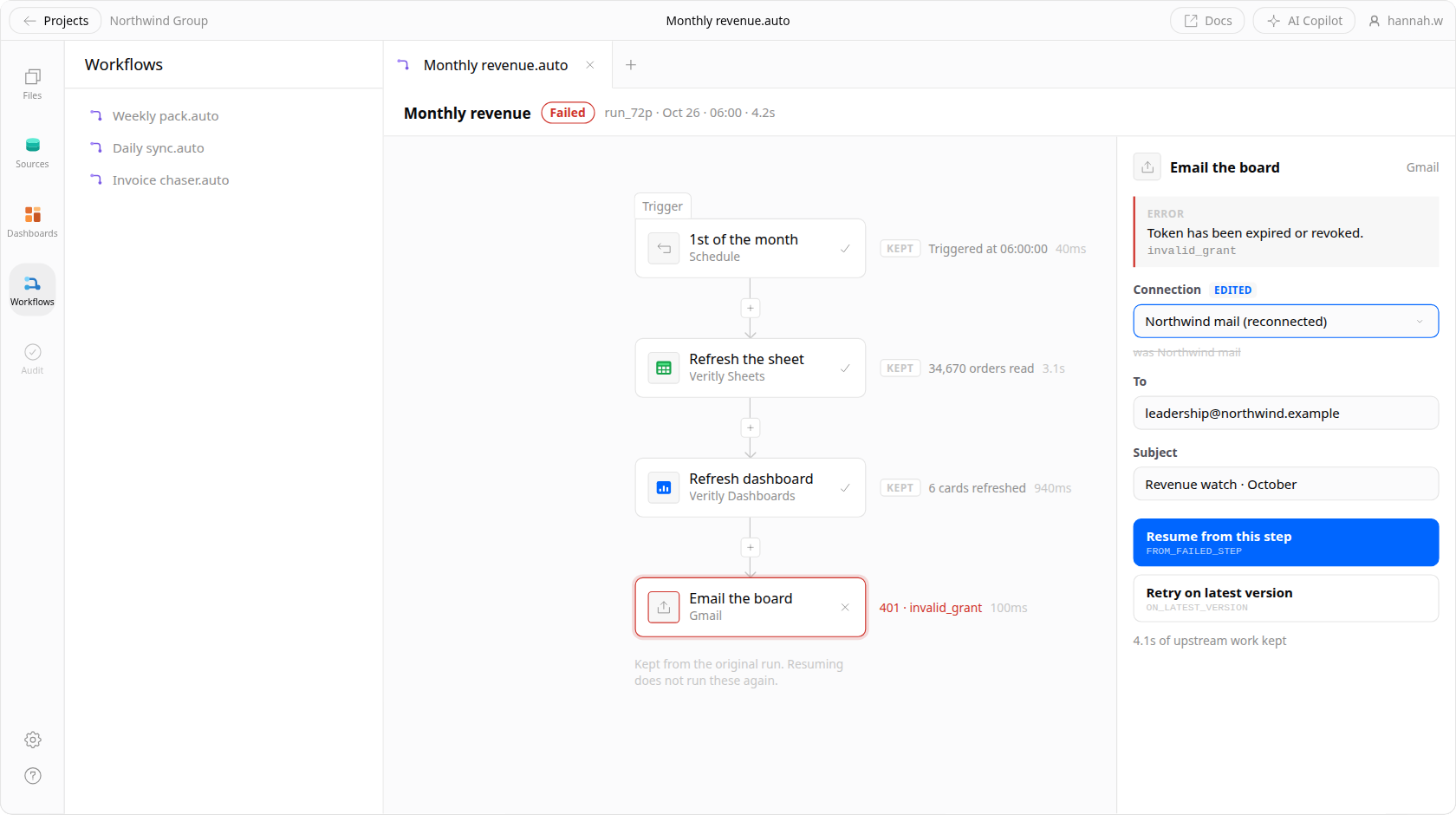
  • Open a failed run, fix the step that broke, and resume from there
  • No re-running twenty minutes of upstream work to test one change
The Veritly flow builder showing a failed run: the three upstream nodes marked as kept with the results they already returned, the failing Gmail node outlined in red, and the step editor open beside it with the expired-token error, an edited connection field, and buttons to resume from the failed step or retry on the latest version.
Replay

Re-run at the click of a button

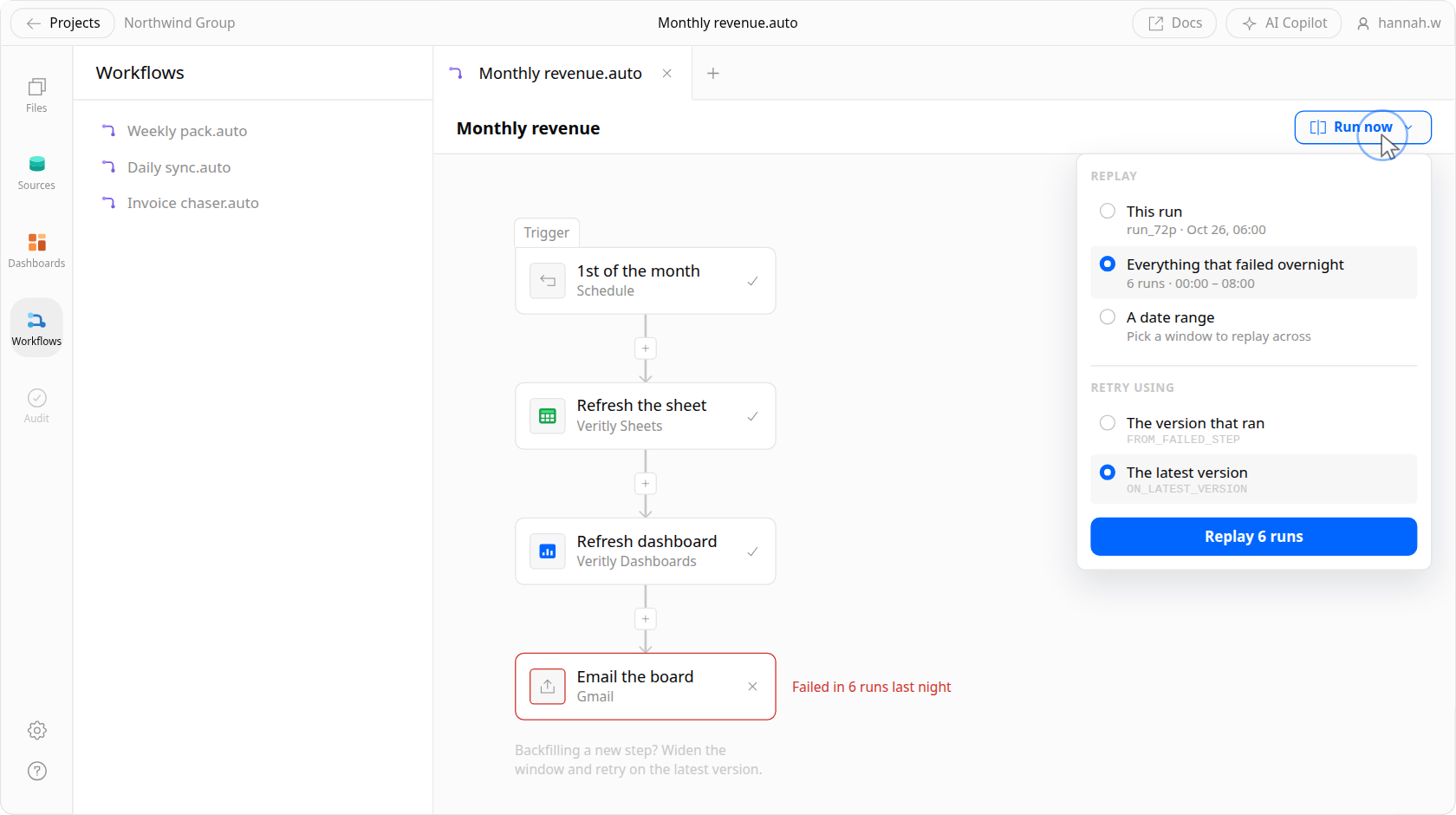
  • Replay a single run, a date range, or everything that failed overnight
  • Backfill a new step across history without writing a one-off script
The Veritly flow builder with the Run now menu open: replay this run, everything that failed overnight, or a date range, with a choice between retrying the version that ran and the latest version.

Watch a pipeline get built.

A schedule, a branch, and an alert wired up end to end — then the run that follows, with every step it took visible after the fact.

Deploy it somewhere you'd sign off on.

A pipeline is only worth scheduling if it runs where your security review already looks.

  • Environments

    Build on a branch, preview what changes downstream, and promote to production only once the numbers look right.

  • Runs next to your data

    Pipelines execute against the warehouse you already run, inside the security perimeter your review already approved — your data stays where it is.

  • Permissions carry through

    A job runs with a defined identity and its own access scope — it can't reach data the owner was never cleared for.

  • Secrets stay secret

    Credentials are referenced, never pasted into a step, and never printed into a log.

Simple enough to see. Powerful enough to ship.

Veritly is in private beta. Join the waitlist and we'll bring you in as capacity opens up.