The fastest way to go from question to dashboard.
Build a view your client can slice themselves — filterable, governed, and always reading live data. No extract to keep in sync, and no rebuild when the question changes.
- Reads your warehouse directly
- Row-level permissions
- No migration required
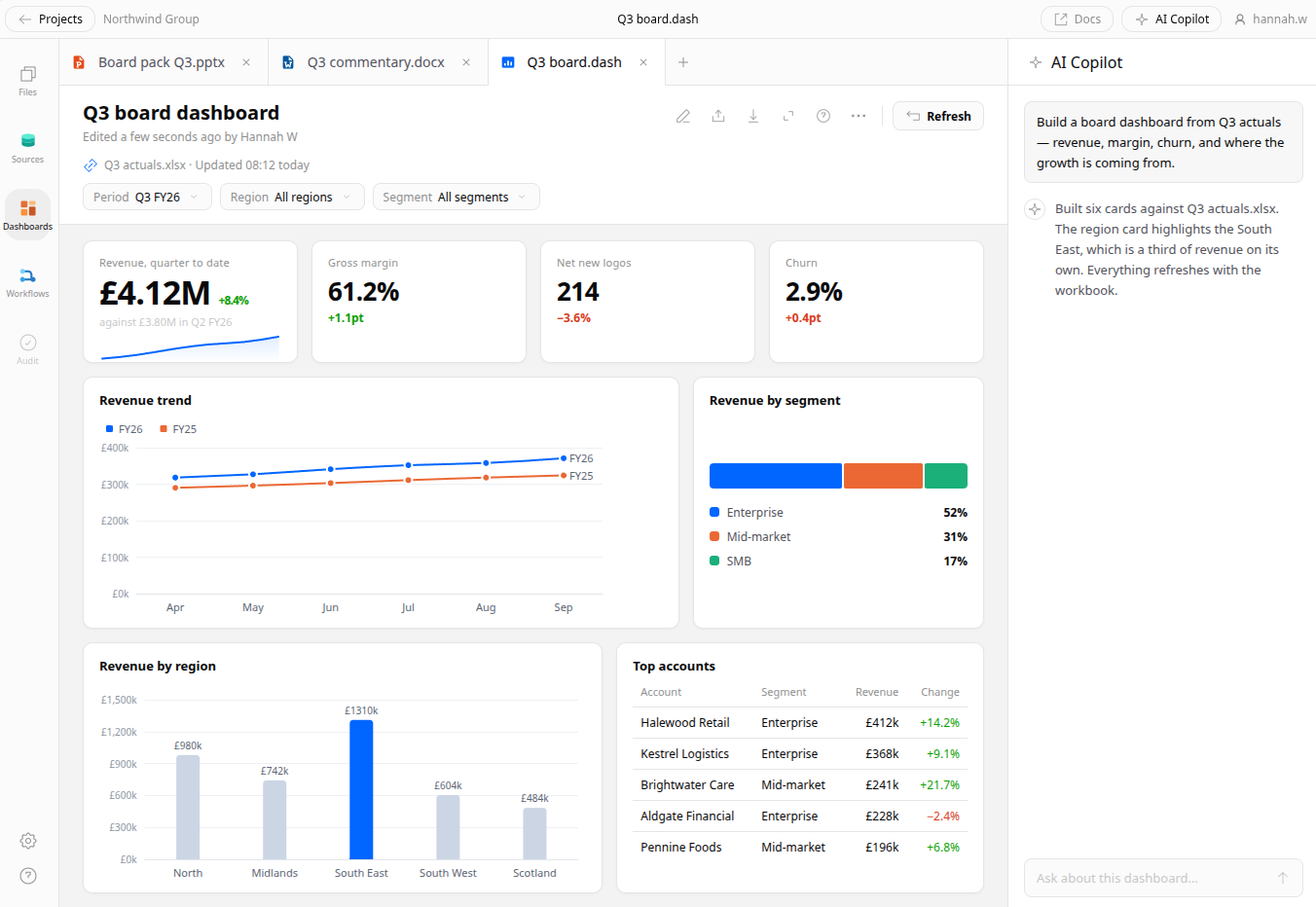
Points at what you already run
Connect Snowflake, BigQuery, Postgres, or Databricks and build straight on top. No staging layer to stand up first, no extract to keep in sync.
Self-service that stays governed
Viewers slice, filter, and drill on their own — but only within the metrics you've defined. They answer their own questions without redefining your numbers.
Share without leaking
Row and column access is applied before results are returned, so one dashboard can serve every client without any of them seeing another's rows.
From a question to something they can run themselves.
The dashboard isn't the deliverable — the client answering their own next question is. These are the four steps between one and the other.
A question gets asked
Usually by the person who can't write the query — a client, an account lead, someone in the Monday meeting.
It resolves through your model
Metric definitions and row-level rules are applied as the query is built, so the number means the same thing every time it's asked for.
It's published as a view
Filters, comparisons, and drill paths come with it. The dashboard reads the warehouse directly — there's no extract to refresh.
The client takes it from there
They slice, filter, and drill on their own — inside the definitions you set, so the next question doesn't come back to you.
You could be building five minutes from now.
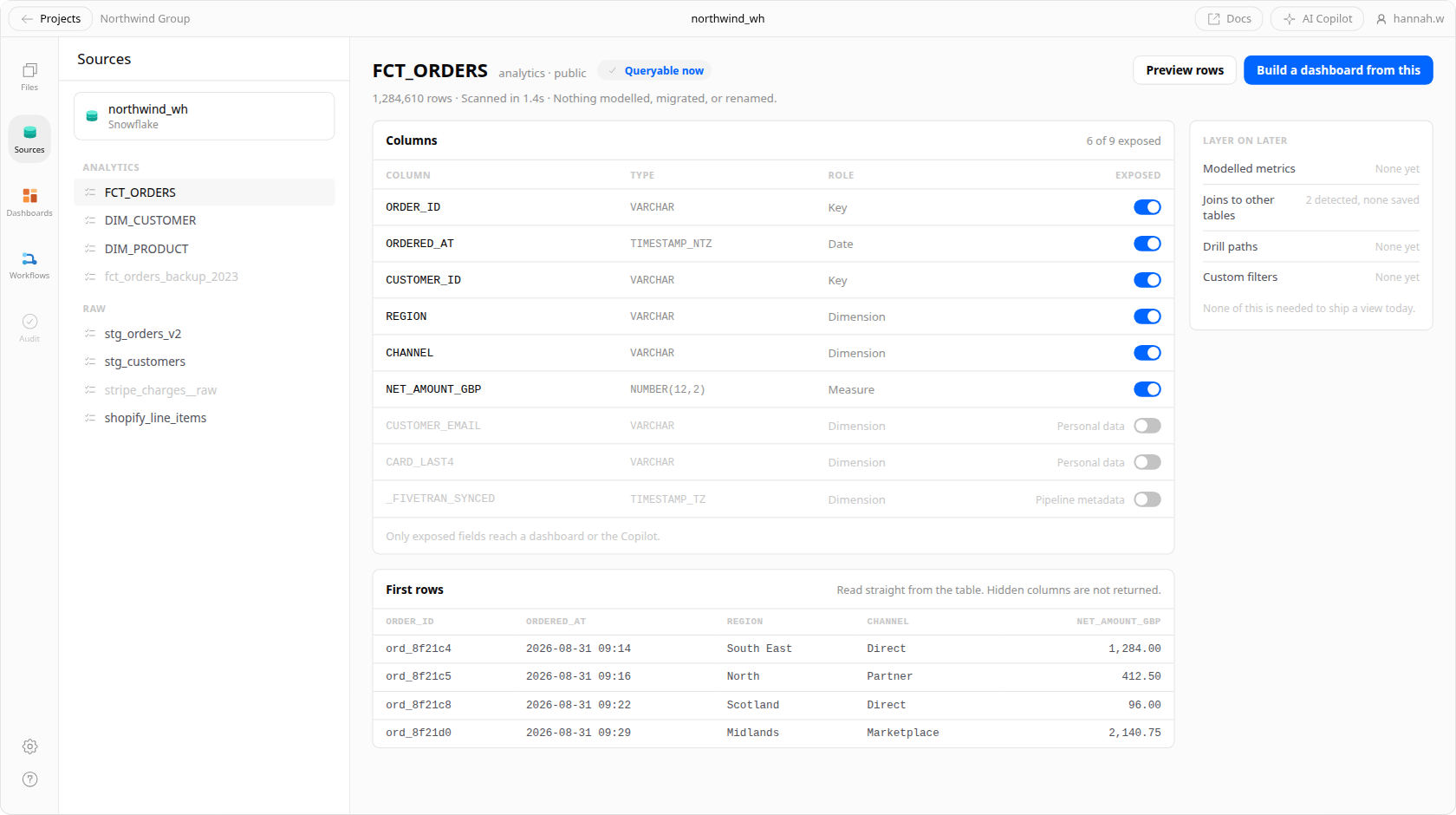
However tidy your warehouse is, you can start from it today. Nothing has to be modelled, migrated, or renamed first.
Low lift to get started
Point Veritly at a connection and your existing tables are queryable immediately — no modelling sprint before the first chart renders.
Curate what people can reach
Choose which fields, metrics, and joins are exposed. The dashboard stays explorable without opening the whole warehouse to everyone.
Start simple, go deeper later
Ship a working view today, then layer in modelled metrics, custom filters, and drill paths as the questions get sharper.
Avoid repeated requests with dashboards anyone can run.
Let the people asking answer their own questions — without the queue, and without them inventing their own version of the numbers.
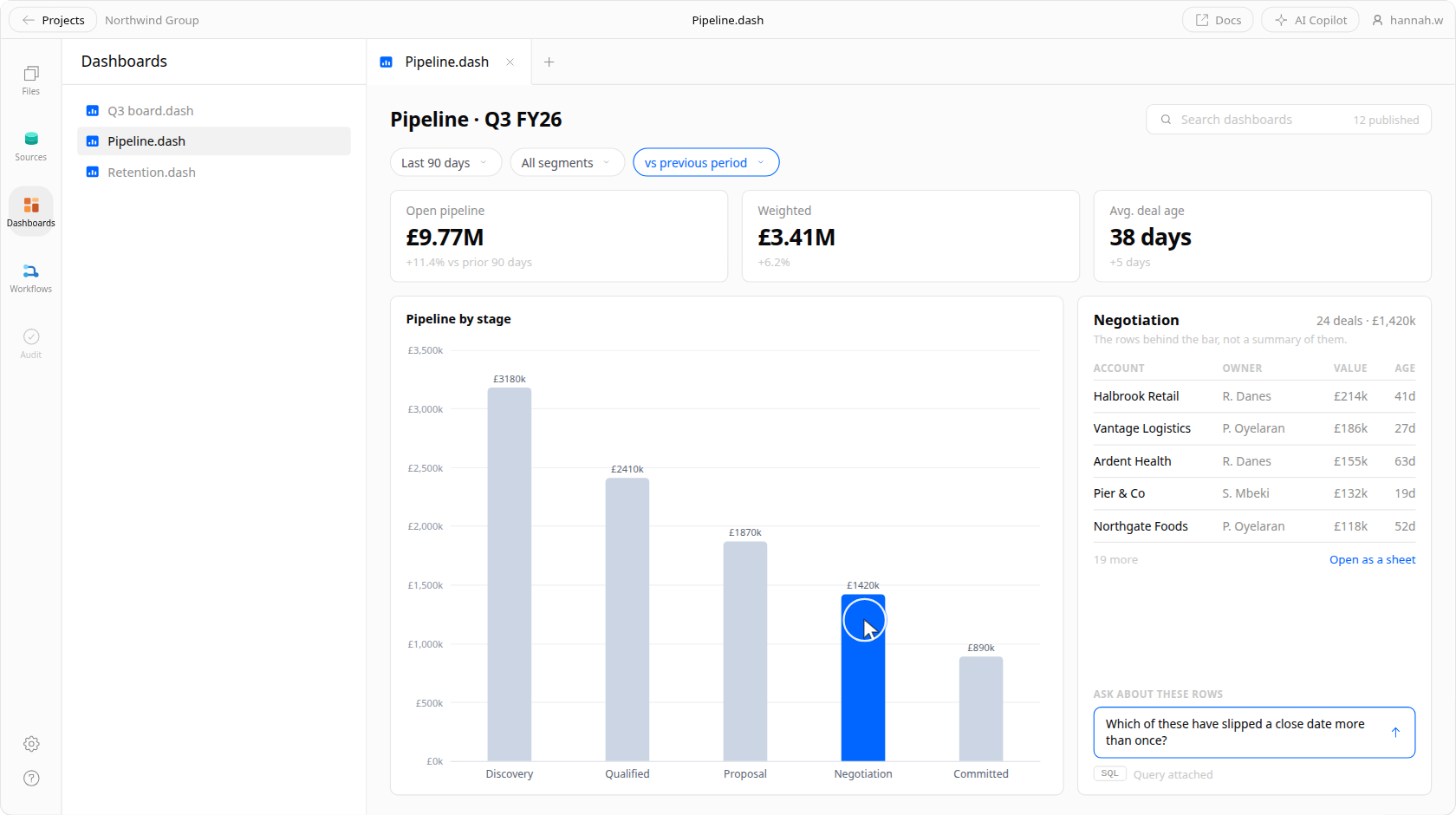
Click any chart to drill in
Every visual is a starting point. Click a bar to see the rows behind it, without asking anyone to write a follow-up query.
Ask a follow-up in plain English
Questions the dashboard didn't anticipate get answered in place — with the query that produced the answer attached.
Filter without touching SQL
Date ranges, segments, and period-over-period comparisons are controls, not a request that lands in someone's queue.
Find the view that already exists
Search across published dashboards so the answer someone built last quarter gets reused instead of rebuilt.
Watch a dashboard get built.
From an empty connection to a view a client can slice on their own — the filters, the drill-downs, and the row-level rules being applied as it runs.
Make sure people only see what they need to.
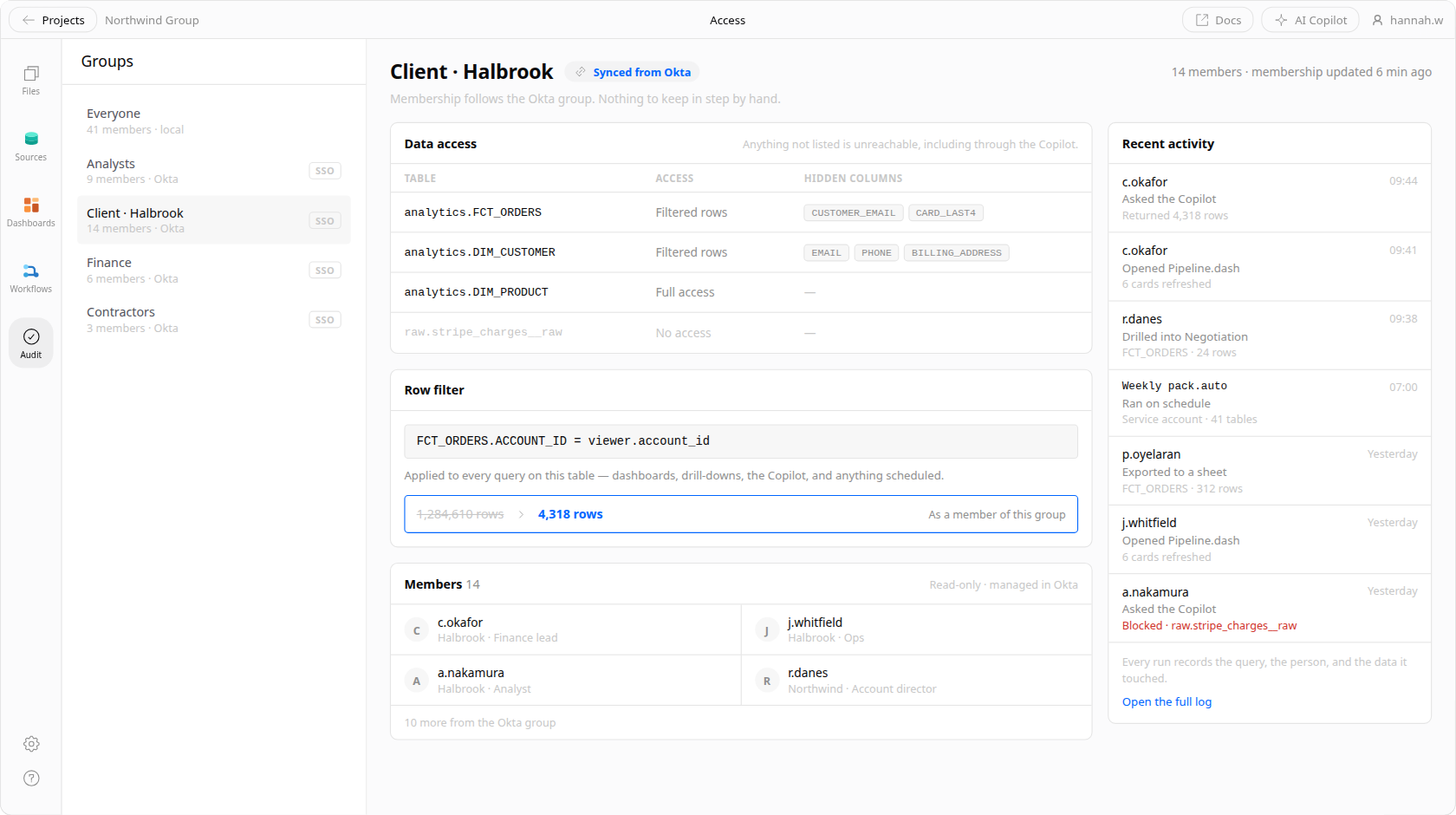
Granular permissions keep people safe from accidentally seeing — or breaking — something they shouldn't, whether that's a client's rows or a table you never meant to expose.
Limit access at the table, row, or column
Hide sensitive tables and fields outright, or restrict which rows a given viewer's queries can ever return.
Manage role-based permissions with SSO
Groups sync from your identity provider, so access follows the person as they change teams instead of drifting out of date.
Keep track of who's seeing what
Every run records what was queried, by whom, and against which data — the audit trail a client review actually asks for.
Frequently asked questions.
Does a dashboard read live, or from a cached extract?
Live. Every filter, drill, and page load issues a query against your warehouse, so there is no extract to schedule and nothing to go stale between refreshes. Results are cached briefly to keep repeated loads cheap, and you control how long for.
Which warehouses can I connect?
Snowflake, BigQuery, Databricks, and Postgres, plus most engines that speak standard SQL over a JDBC-style connection. You point Veritly at a connection you already run — nothing is copied into our storage.
How do row-level rules interact with SSO groups?
Groups sync from your identity provider, and a row-level rule is written against group membership rather than against named individuals. So when someone changes teams their access changes with them at the next sync, and you never maintain a per-person list.
What happens on a table with 50 million rows?
Queries are pushed down to the warehouse rather than pulled into Veritly, so the work happens where your compute already is and performance tracks whatever that engine does. Aggregations stay fast; unbounded row-level drills are the ones worth putting a filter in front of.
Do I need a semantic model before any of this is useful?
No. Point at a connection and your existing tables are queryable straight away. Veritly can read dbt models and warehouse metadata where they exist, and you can curate definitions over time rather than blocking the first dashboard on a modelling sprint.
Can a client view a dashboard without a seat?
Yes. Viewers can be invited to a single dashboard rather than to the workspace, and the same row and column rules apply to them — so one dashboard can serve every client without any of them seeing another's rows.
Stop rebuilding the same report for every client.
Veritly is in private beta. Join the waitlist and we'll bring you in as capacity opens up.